 AuraVolleyballfor iPhone and iPad
Find your team once. Follow their whole season.
Search 42,000+ club volleyball teams, girls and boys, 10U to 18U. Star every kid's team and AuraVolleyball keeps their tournaments, courts, rankings and results together, on a calendar you can share with the whole family.
One-time purchase. No subscription.
Runs on iPhone and iPad with iOS 17 or later.
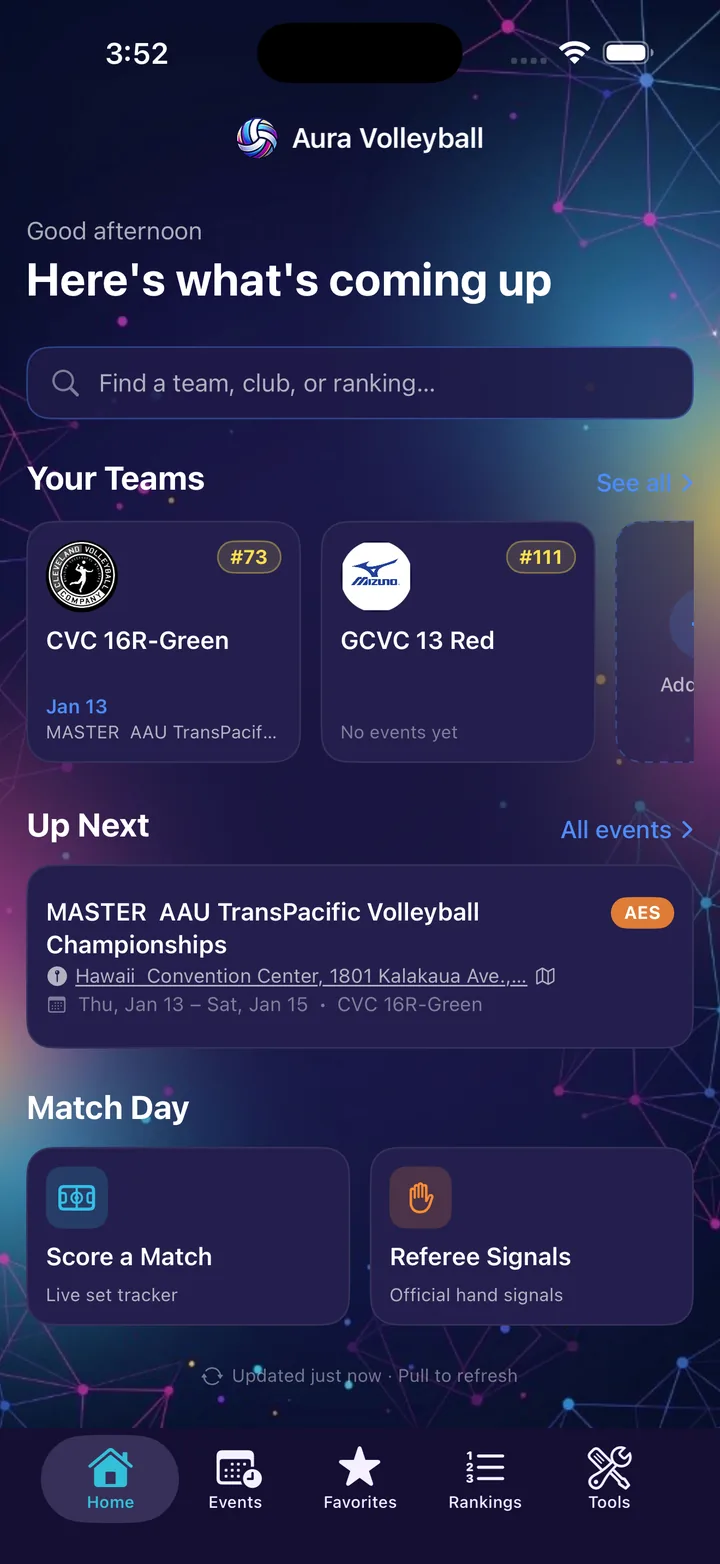
Set up in about a minute
No account and no sign-in. Pick the team and the app fills in the rest.
-
Search your club
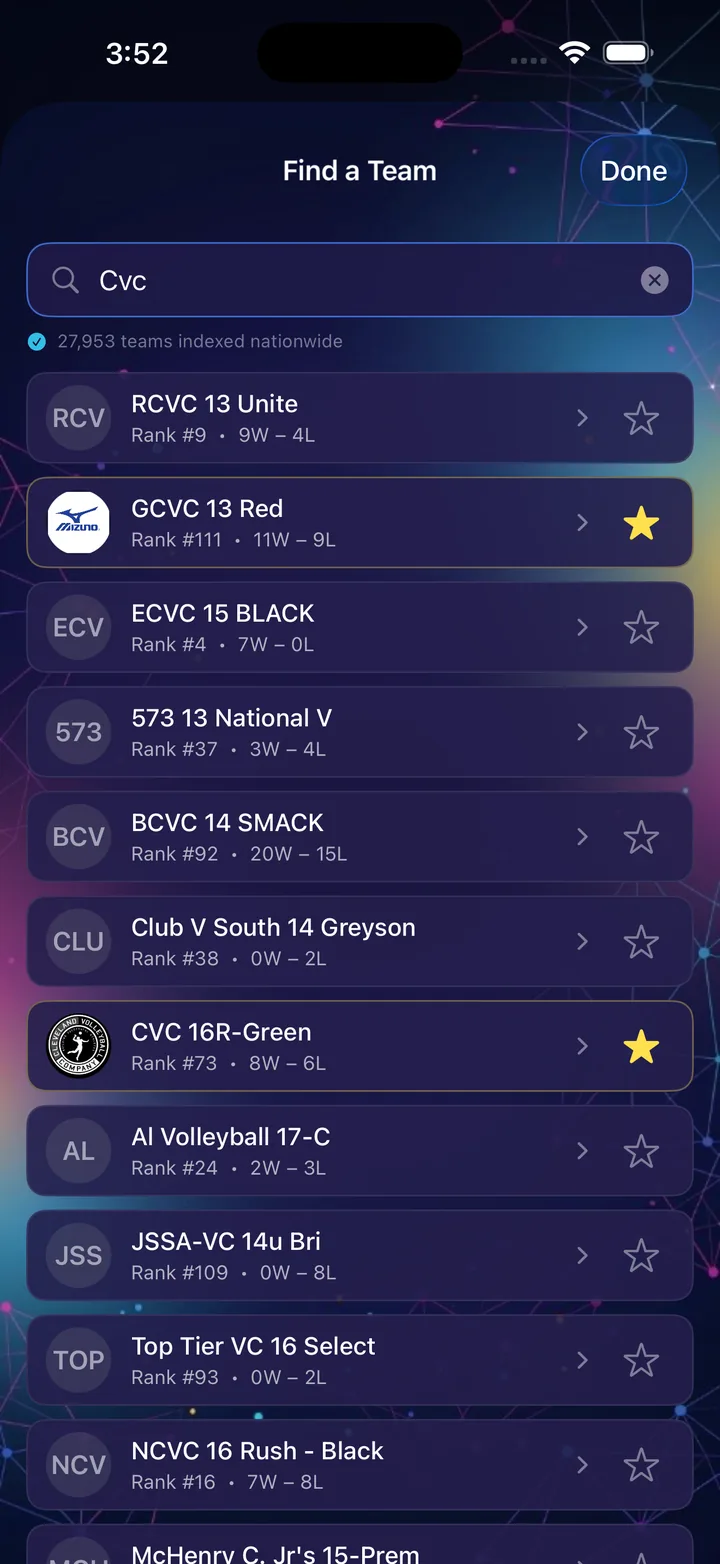
Type the club and age, like Boss 14 or CVC 13. Small typos usually still find the team.
-
Star your teams
Add every kid's team. Home shows each one with its current rank and next event.
-
Open it before every tournament
Tap the next event for the court, play and work times, and directions. Send it to grandparents in one tap.
Every ranked club team in the country
The search covers every team Advanced Event Systems has ranked this season or last, plus 10U and 11U teams from VolleyLens. That is more than 42,000 teams in one place.
- Girls and boys, 10U through 18U
- Search by club, age or team name
- Rank and record on every result, labeled with its season
- Tap any team to open its full page
Your whole season on a calendar
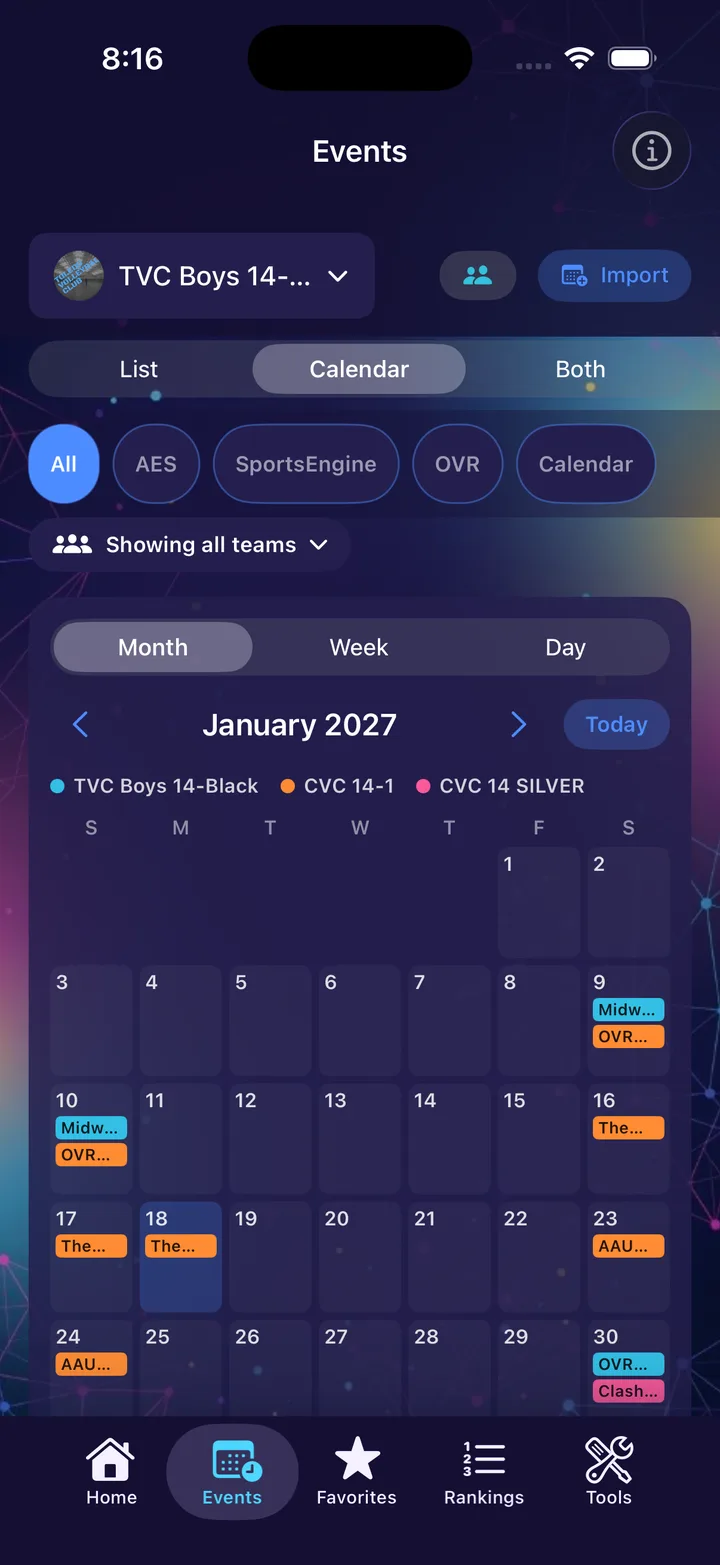
Switch the Events tab to Month, Week or Day, or show the calendar and the list together. Tap any tournament for its courts and times. Coming in the next update: every starred team on one calendar, each in its own color, so double-booked weekends jump out.
- List, Calendar or Both on the Events tab
- Month, week and day views
- All your teams together, or one at a time
- AES and OVR tournaments, your club's calendar and events you add yourself, side by side
- Tap any event to open everything about it
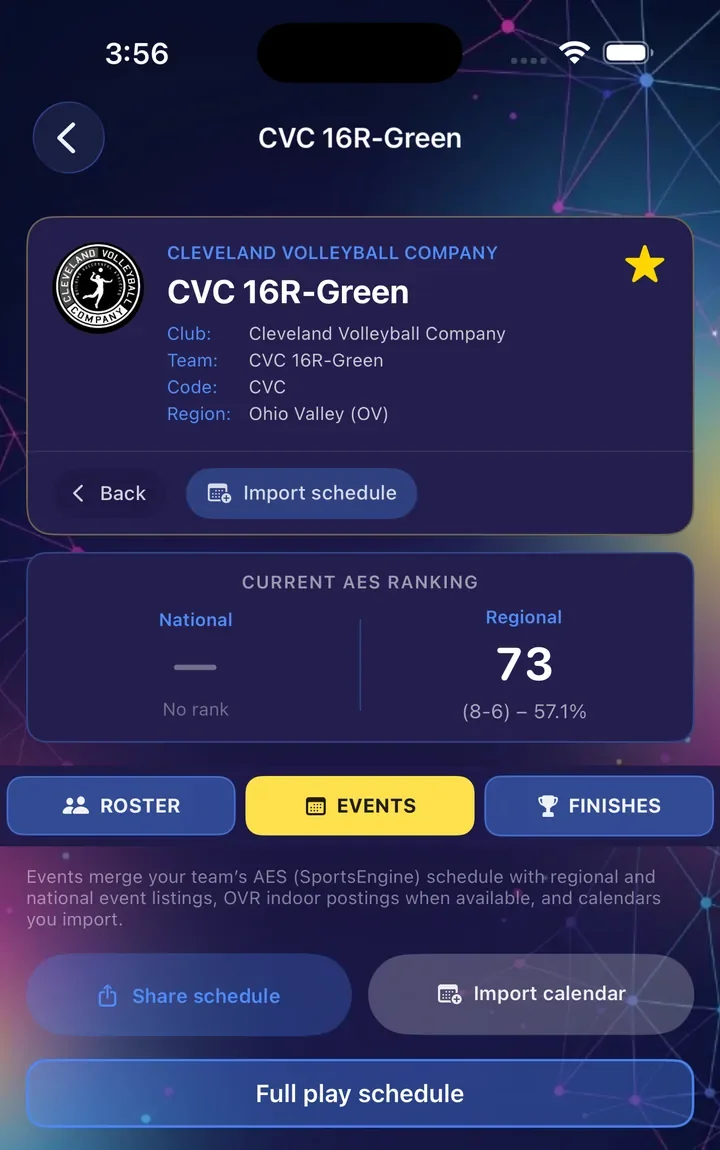
The whole team on one page
Everything families usually piece together from three websites and a group chat.
- National and regional rank with win-loss record
- Roster with jersey numbers and positions
- Tournaments the team is entered in on AES, plus upcoming events in your region
- Past finishes, and results right on past event pages
- Ohio Valley teams also get the OVR regional calendar
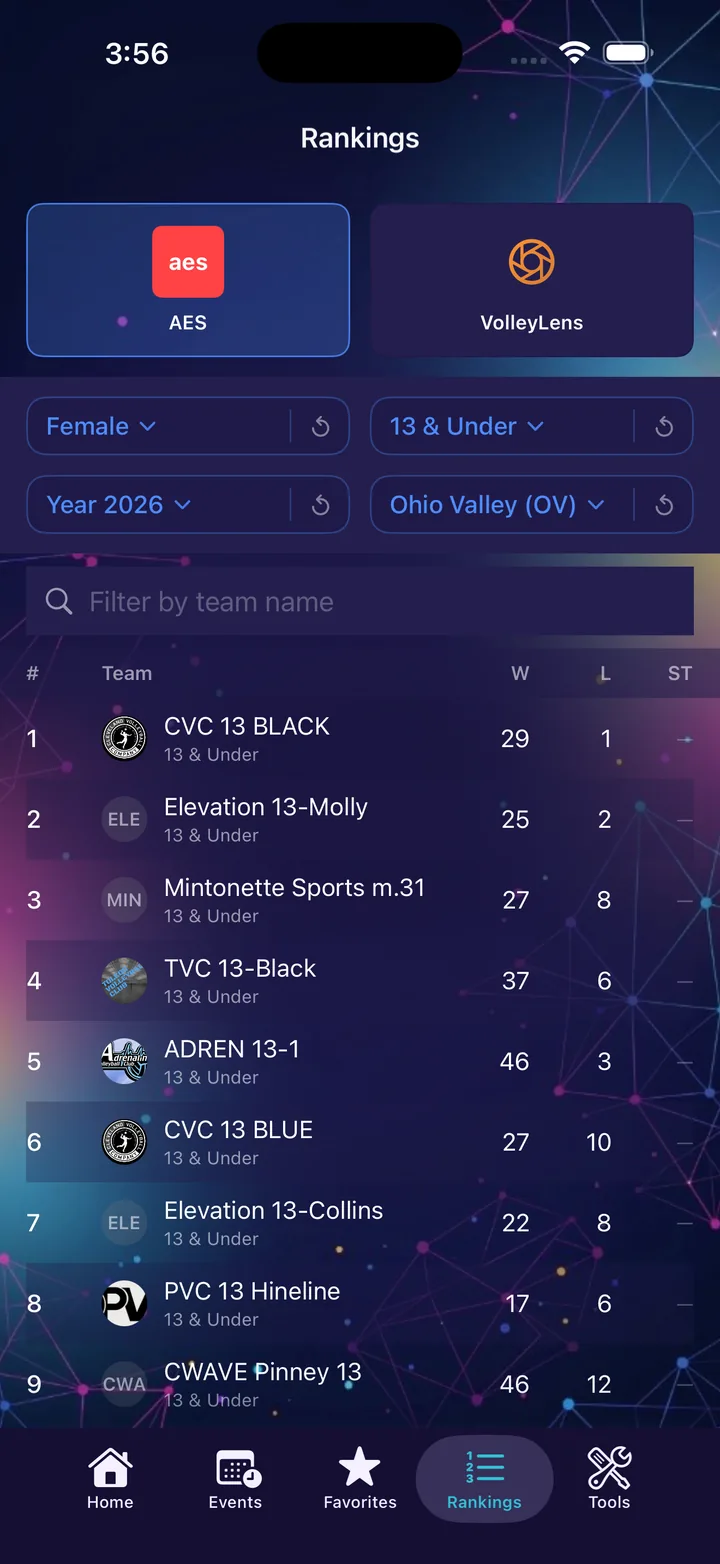
Both rankings parents talk about
AES rankings are the ones clubs quote. VolleyLens rates teams with an Elo model and covers 10U and 11U. Aura shows both, side by side, clearly labeled.
- AES national and regional rankings for all 40 regions
- VolleyLens rankings by age group and state
- Filter by gender, age and season
- Pull to refresh, with the time of the last update shown
- Early in a season, Aura shows last season's final table and says so
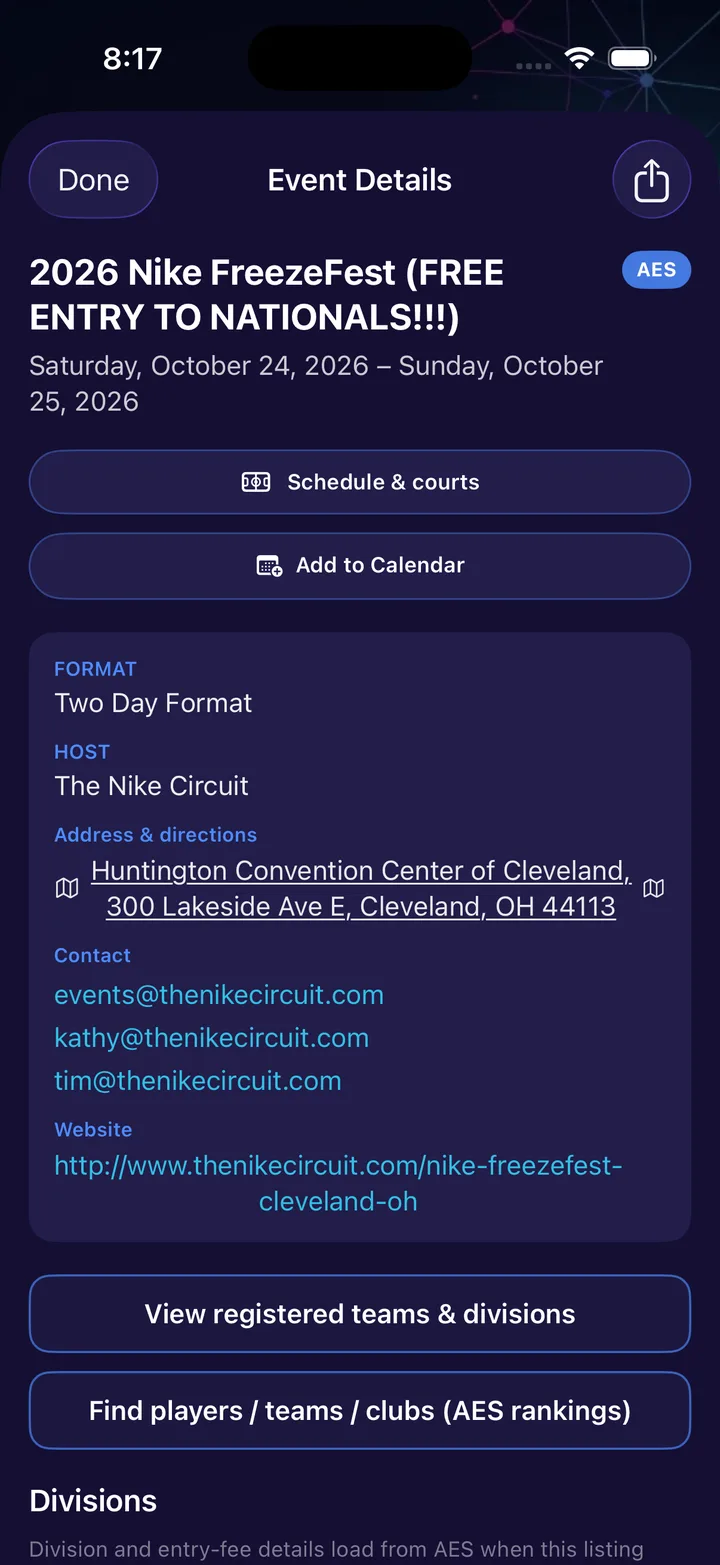
Tap Up Next for the whole event
The next tournament sits at the top of the Home screen. Tap it and everything for that weekend is on one page.
- Court, play times and work assignment once AES posts them
- Venue directions, host contacts and the tournament website
- Add your own notes, court or work duty to any imported event
- Check your club's calendar link for changes without importing it again
- Add it to your iPhone calendar in one tap
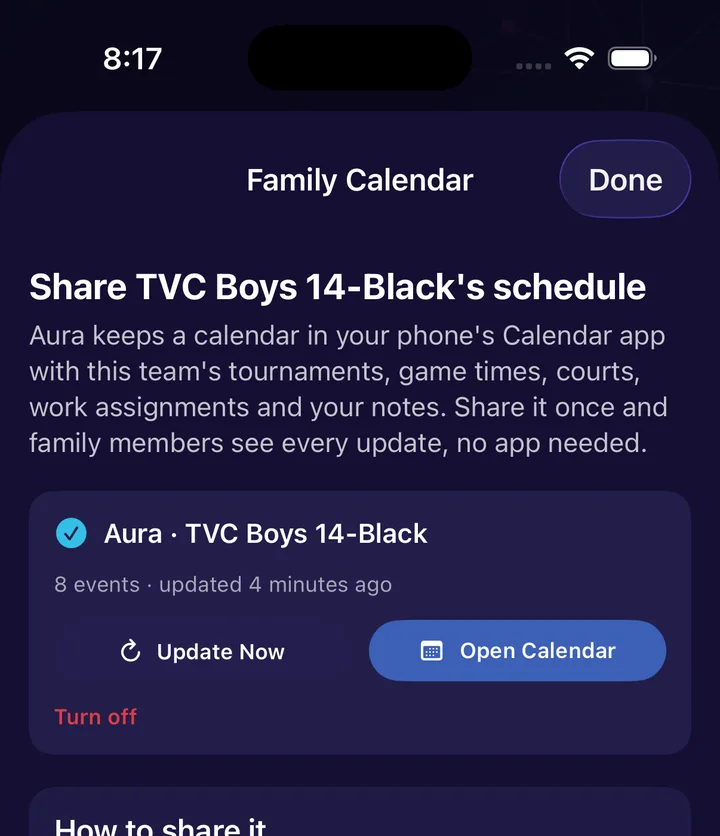
Share it with the whole family
Grandparents and the other parent shouldn't need the app to know where to be. Aura keeps a calendar for each team in your iPhone's Calendar app and keeps it current.
- Family calendar: share once and family sees every update, no app needed
- iPhone family get an iCloud invite. Android and Google Calendar users subscribe from a link
- Tournaments, game times, courts, work assignments and your notes come along
- Text or email a single event with the details and a calendar invite attached
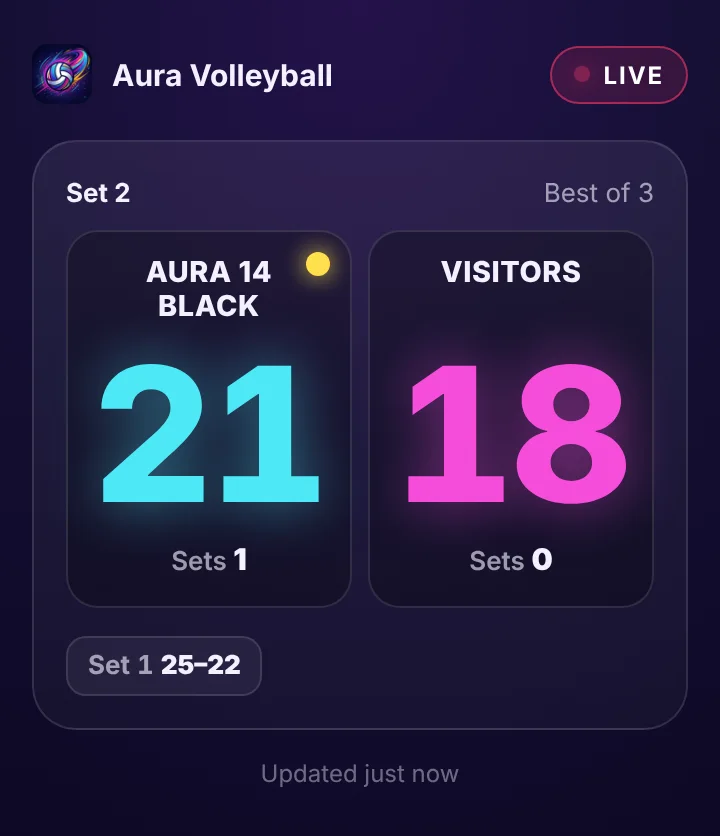
Can't make the match? Watch it live
Keep score in Aura and share it live. Family follows every point from anywhere, in the app or in any web browser, with nothing to install. New in the next update, arriving the week of October 26.
- One tap in the scorekeeper gives you a 6-character code and a link to text
- Score, sets, who's serving and timeouts update within seconds
- Grandparents just open the link. Have a code? Watch here
- Only team names and scores are shared, never player names, and it's deleted after a day
- Included in the $4.99 price, no subscription
Tournament weekend, sorted
The things you reach for at 7 a.m. in a gym parking lot.
- Directions in one tap
- Tap the venue address on any event and Maps takes it from there.
- Court, play and work
- When AES posts the pools, your team's court, game times and work assignment show on the event.
- The family calendar
- Share each team's schedule to family calendars once. Changes follow on their own.
- Send one event
- Text or email a tournament with the address, times, court and a calendar invite.
- Your club's calendar, too
- Import your club's iCal or Google calendar, then tap Check calendar for updates on any event to pick up changes.
- Events from anywhere
- Playing somewhere Aura doesn't read yet? Add the event yourself with a link to its tournament page.
- On your iPhone calendar
- Put any tournament on your own calendar in one tap, with the address filled in.
- Results afterward
- Once results are posted, past event pages show how the team finished.
Will it work for my club?
Aura reads public tournament data, so coverage depends on where your events are posted. Here's how to tell in ten seconds.
- AESYour tournament links go to advancedeventsystems.com
Those events show up on their own once you star the team, with courts and work assignments once they're posted.
- OVRYour club plays in the Ohio Valley Region
The OVR tournament calendar is built in as well.
- CalendarYour club shares an iCal or Google calendar
Import it in a couple of taps. Practices and games land next to the tournaments.
- OtherYour events run on a different system
Rankings and search still work. Add those events by hand for now, and tell me which system it is so it can be next on the list.
Not sure? Email support@auravolleyball.com with your club and team name before you buy, and I'll check what the data shows.
Match-day tools, included
Both are built into AuraVolleyball. They're also sold as separate apps for coaches and officials who only need the one tool.
A real scorekeeper
Indoor and beach rules, serve tracking, timeouts with a countdown, a point-by-point log and saved match history. In AuraVolleyball you can also share the score live.
The standalone Scorekeeper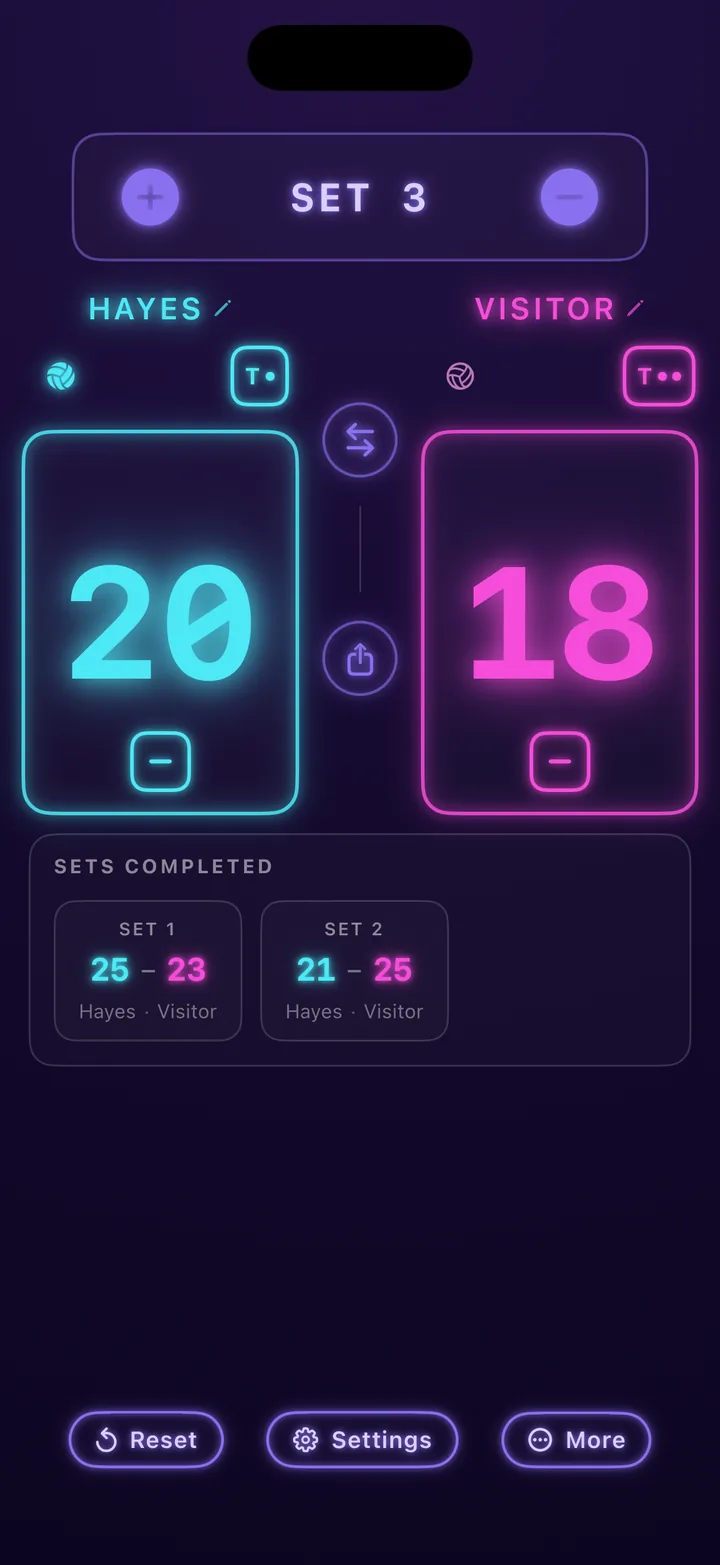
All 30 referee signals
Every official hand signal and line-judge flag, illustrated, with how it's made and when it's used.
The standalone Referee Signals
$4.99
Once. Updates included. No subscription.
- Team search and favorites
- AES and VolleyLens rankings
- Team pages, tournaments and results
- Courts, play and work assignments
- Calendar views and family sharing
- The full scorekeeper, with live score sharing
- All 30 referee signals
Questions parents ask
What if my team doesn't show up in search?
Try the club name alone first, like Boss instead of Boss 14-1. Search covers every team AES has ranked this season or last, plus 10U and 11U teams rated by VolleyLens.
A brand-new team, or one that changed its name this season, appears after its first ranked event. Until then you can still add its tournaments by hand. Email me the club and team name and I'll tell you exactly what the data shows.
Will I see which court my kid is playing on?
Yes, once it's posted. For AES tournaments, Aura shows your team's court, game times and work assignment as soon as the tournament publishes its pools, usually a few days before the event. Tap the event on the Home screen to see them.
For other events, add the court yourself or import a club calendar that lists it. Aura never guesses. If no court has been posted, it shows nothing rather than a wrong number.
Which tournaments are covered?
Tournaments published through Advanced Event Systems, the Ohio Valley Region calendar, and national event directories. Anything else can be imported from a calendar or added by hand. See Will it work for my club? above.
Is there a subscription?
No. AuraVolleyball is a one-time $4.99 purchase through the App Store, and updates are included.
Is there an Android version?
Not right now. AuraVolleyball runs on iPhone and iPad.
Does the app collect anything about my child?
No. It shows team rankings, schedules and rosters that Advanced Event Systems and VolleyLens already publish. There are no accounts, no tracking and no data collection. Details are in the privacy policy.
Who makes this?
Eric Fortuna, an independent developer in Ohio. Aura isn't owned by a club, a tournament company or a governing body. Every email to support@auravolleyball.com is read by the person who builds the app.
More answers on the support page.